
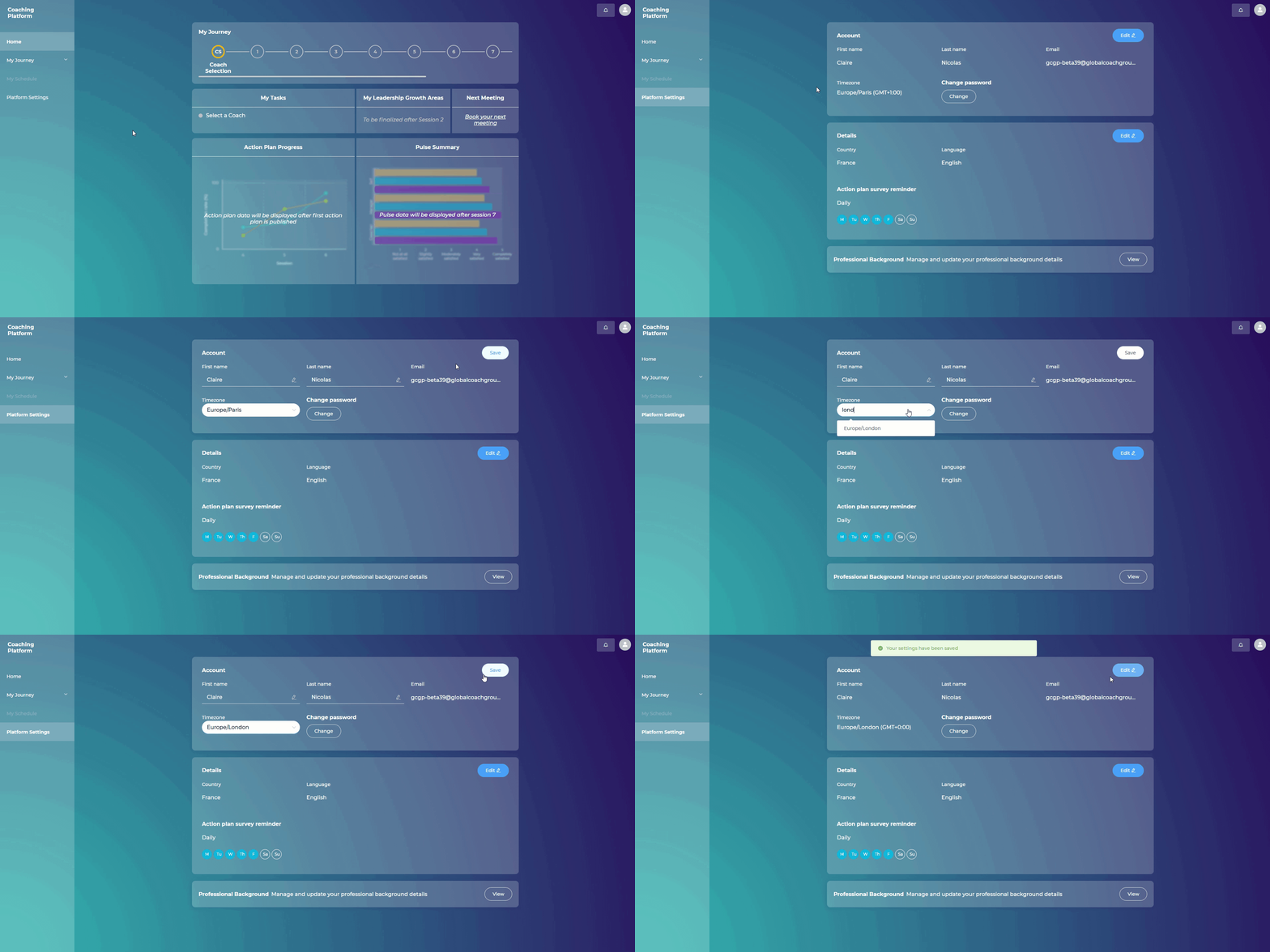
Steps:
Go to "Platform Settings"
Click "Edit" on the top right of the "Account" details section
Choose your new time zone
Click "Save" to apply your settings

What are you looking for?
Getting Started
Last updated on 01 Feb, 2021
Steps:
Go to "Platform Settings"
Click "Edit" on the top right of the "Account" details section
Choose your new time zone
Click "Save" to apply your settings